Automated White-Label SEO Reports: The Complete Guide for Agencies in 2026
If you run an agency, the last week of every month probably looks the same: someone opens a dozen browser tabs — Google Analytics, Search Console, an SSL checker, PageSpeed Insights, maybe a rank tracker — copies numbers into a slide deck, writes a paragraph of "insights," slaps a logo on it, and sends it to a client who may never open it.
Automated white label SEO reports exist to remove exactly that ritual. Instead of manually assembling a report every month, the site is audited on a schedule and a branded PDF comes out the other end — no spreadsheet, no copy-pasting, no unpaid hours the client never sees. This guide covers what these tools actually solve, the real differences between the categories being sold as "reporting software," what to check before you commit to one, and how to automate client reporting end to end.
What Automated Reporting Actually Solves
Manual reporting isn't slow because agencies are inefficient — it's slow because the data lives in different places. Uptime lives in one tool, Core Web Vitals in another, security and SSL status somewhere else, and AI/search visibility usually isn't tracked anywhere at all. Someone has to be the human API between all of them.
That labor doesn't show up as a line item clients see, which makes it some of the worst margin in an agency's operation: real hours, no billable hook. Agency reporting automation fixes this by collecting the data on its own schedule and generating the client-facing document without a person in the loop — the report becomes a byproduct of monitoring that's already happening, not a separate task someone has to remember to do.
Types of Reporting Tools (And What Each Actually Does)
Not everything marketed as a "reporting tool" does the same job. Before choosing one, it helps to know which category you're actually looking at.
Dashboard Aggregators
These connect to platforms you already use — Google Analytics, ad accounts, social insights — and pull the numbers into one branded view. They're built for visualization, not investigation: if a client's site has an expired SSL certificate or a broken canonical tag, an aggregator won't know, because it isn't checking the site itself. It's reporting on data that already exists elsewhere.
Website Audit Tools
These independently crawl and test a site: performance, security, technical SEO, sometimes AI/LLM visibility. They generate original findings rather than repackaging someone else's numbers, which is the piece a pure dashboard can't offer.
All-in-One Automated Platforms
A smaller category tries to combine both: run the audit and produce the white-label deliverable automatically, on a schedule, without a dashboard-building step in between. This is the category worth paying attention to if the actual goal is fewer manual steps, not a better-looking chart.
When agencies search for the best client reporting tools for digital agencies, they're often comparing all three categories against each other without realizing they solve different problems — which is why the right choice depends on whether you need a prettier view of data you already have, or a tool that goes and finds new information about the site itself.
What to Look for Before You Choose a Tool
A few questions cut through most of the marketing language faster than a feature list:
- Does it audit the site, or just visualize data you already collected? If a client asks "is my site secure and fast," an aggregator can't answer that on its own.
- Is white-labeling actually included, or an upsell? Many platforms gate PDF branding, custom domains, or multiple client profiles behind a higher tier than the one you'd naturally start on.
- Does it check AI/GEO visibility at all? In 2026, whether ChatGPT or Perplexity ever recommends a client's business is a real client question, and most reporting software — dashboard or audit — doesn't touch it.
- How long does a report actually take to generate? "Automated" should mean minutes, not a support ticket and a two-day turnaround.
If you're specifically evaluating white label agency dashboard software, the branding and multi-client management questions matter as much as the audit depth — a tool that produces great data but only lets you white-label one client isn't built for an agency, it's built for a single site owner.
How to Automate Client Reporting
In practice, automating client reporting comes down to four steps, regardless of which tool you use:
- Connect the site(s). Point the tool at the domains you manage so it can start monitoring on its own schedule.
- Apply your branding once. Logo, colors, and company name should be a one-time setup, not something you redo every month.
- Set a delivery cadence. Monthly is standard for retainer clients; on-demand matters for new-business pitches and audits.
- Let the schedule run. The report should generate and deliver without anyone manually triggering it — that's the actual difference between "automated" and "templated."
That last step is where a lot of "automated" tools quietly fall back to manual: the dashboard updates automatically, but someone still has to export it, brand it, and send it. Genuine automation means the finished, branded document is what shows up — not raw data waiting for someone to package it.
How Vedrly Handles Automated White-Label SEO Reports
Vedrly is built around the all-in-one category above: it audits the site and produces the white-label deliverable automatically, without a separate dashboard-building step.
The audit runs across six dimensions — uptime & availability, Core Web Vitals performance, security & SSL, technical SEO health, and GEO & LLM visibility — and turns the result into a white-label PDF a client can receive without anyone touching a spreadsheet. A few specifics worth being precise about:
- Core Web Vitals: LCP, CLS, INP, TTFB, and FCP, tracked over time rather than as a single snapshot.
- Security & SSL: certificate and domain expiry monitoring, plus security header checks.
- Technical SEO: schema markup presence, broken links, crawl/indexability issues, and on-page fundamentals.
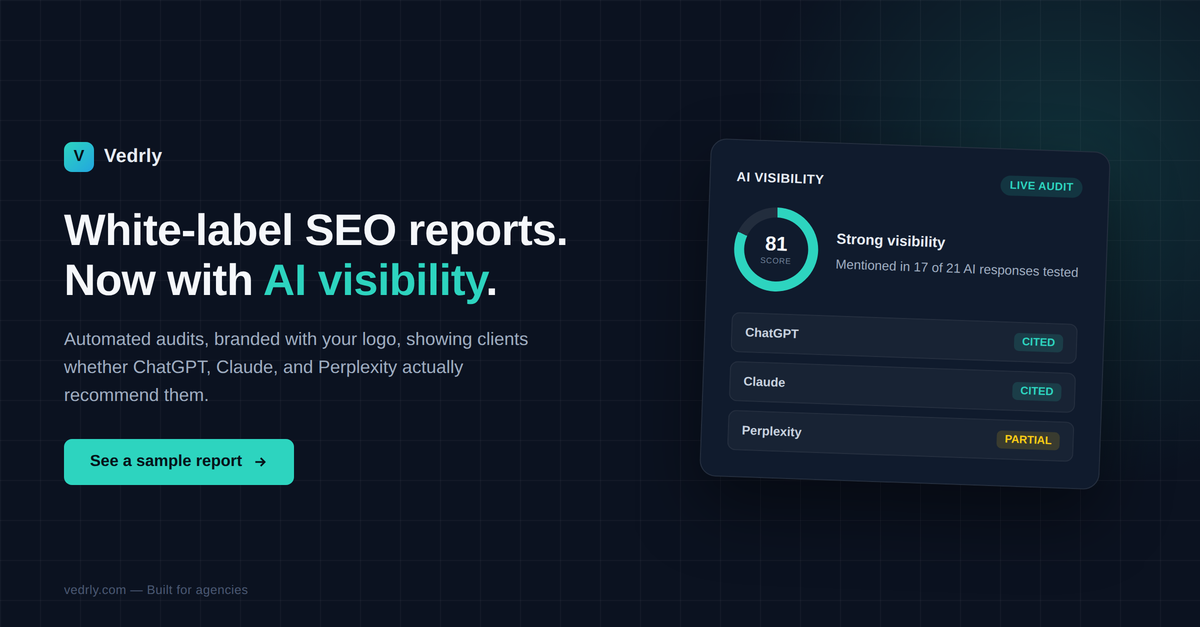
- AI/GEO visibility: whether AI assistants (ChatGPT, Perplexity, Google AI Overviews, Claude) actually mention the business, reported as two separate metrics rather than one blended score — Category Discovery (recommended without being prompted by name) and Comparison Recognition (included when directly compared against named competitors, an easier bar since the name is already in the question). Reporting them separately matters because a site can be invisible in one and present in the other, and the fix for each is different.
Reports can be scheduled monthly or generated on demand, and full generation — from a fresh crawl through the finished white-label PDF — completes in under 10 minutes. You can see this in action and generate a free white-label report for any site without setting anything up first.
Pricing starts with a genuinely free Starter plan (1 website, uptime/SSL/domain monitoring, 7-day history) — no credit card required. Paid plans start at Growth ($39/mo) for white-label PDF reports and AI-generated summaries across 3 sites, up to Agency ($79/mo) for 10 sites with Google Search Console integration, unlimited reports, and multiple white-label profiles for agencies managing several client brands under one account. Full plan details, including the higher-volume Scale tier, are on the pricing page.
Frequently Asked Questions
How long does an automated audit take?
With Vedrly, a full audit and finished white-label PDF — crawl, checks, and report generation included — completes in under 10 minutes. Turnaround varies by tool, so it's worth confirming before committing, since some platforms describe themselves as "automated" but still involve a manual export or delivery step.
What's the difference between a dashboard tool and a website audit tool?
A dashboard tool visualizes data pulled from platforms you already use (analytics, ads, search console) — it doesn't independently test the website itself. A website audit tool crawls and checks the site directly, so it can catch things like an expiring SSL certificate or a Core Web Vitals regression that wouldn't show up in your existing analytics data at all.
Does this replace Google Search Console or Semrush?
No, and it isn't meant to. Google Search Console remains the source of truth for indexing and search performance data, and Semrush's keyword research and competitive analysis go deeper than an audit tool is built for. Vedrly integrates with Search Console on the Agency plan rather than replacing it, and focuses on the automated audit-to-report pipeline — monitoring, auditing, and delivering the white-label document — that most SEO suites don't handle end to end.
Is there a free way to start automating client reports?
Yes. The Starter plan is free indefinitely (no trial period, no credit card) for one website with uptime, SSL, and domain monitoring. White-label PDF reports and AI-generated summaries start on the Growth plan, which includes a 14-day free trial. Full details are on the pricing page.
The Actual Point of Agency Reporting Automation
None of this is about replacing judgment with automation — a good account manager still needs to read a report and know what matters to that specific client. What automated white label SEO reports remove is the manual assembly step: the hours spent pulling numbers from six places so a human can eventually get to the part that requires actual expertise.
If you want to see the finished output before deciding anything, generate a free report for one of your own client sites, or check current plans on the pricing page.